Video Translation with Lip Sync: How It Works and Gets Good Results
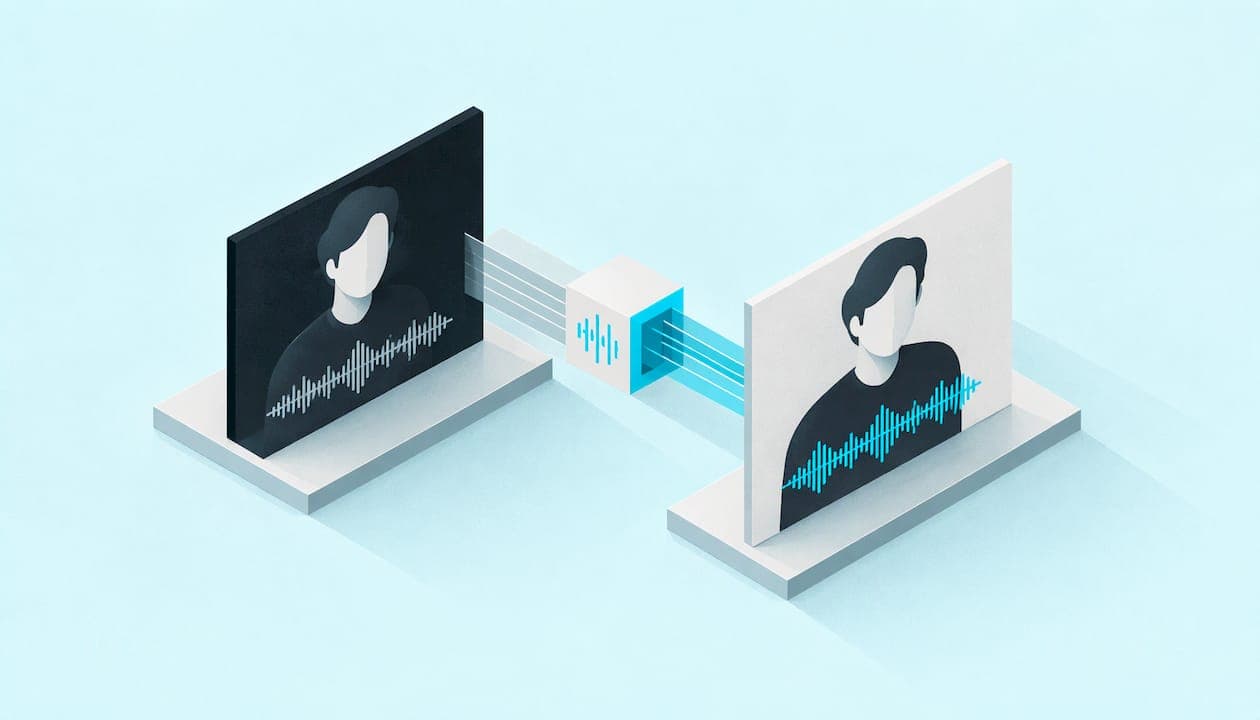
Video translation with lip sync means translating what a speaker says, recreating it in another language in their own voice, and adjusting the timing and the visible mouth movement so the result looks like they spoke that language. To get it right, you need a clean source video, a translation written to fit the speech timing, and a tool that handles voice, timing and lips in one workflow. DubEnvoy translates and dubs video and audio into over 50 languages with voice cloning and lip-syncing, so you do not have to stitch those steps together yourself.
This guide is for educators, creators, marketers and businesses who want one video to work for audiences in several languages. It covers what lip sync adds over ordinary dubbing, what happens under the hood, how to prepare a video, and how to fix the usual sync problems.
TL;DR
- Subtitles add translated text, dubbing replaces the audio, and lip sync also adapts the speaker’s mouth to the new audio so the video looks native.
- Good results depend on three things: a clean recording, a translation that fits the timing, and a face that is clearly visible on screen.
- Most sync problems come from translated sentences that run longer or shorter than the original, not from the lip-sync step itself.
- Always review the translated script before you publish, because automated translation can produce awkward idioms and technical terms.
- DubEnvoy plans start at 4.99 USD per week, with Monthly Dub at 19.99 USD per month and Monthly Dub Pro at 34.99 USD per month.
Table of Contents
- Subtitles, dubbing and lip sync: what each one gives the viewer
- How AI matches lips to translated speech
- What decides whether the sync looks natural
- How to translate a video with lip sync, step by step
- Fixing lip sync in a dubbed video
- Consent, disclosure and responsible use
- What this looks like for your role
- Getting started with DubEnvoy
- FAQ
- Sources
Subtitles, dubbing and lip sync: what each one gives the viewer
The American Translators Association (ATA) separates subtitles from dubbing: subtitles are translated text shown on screen, while dubbing is an audio track that replaces the original speech. The same guide notes that subtitles have limits on line length, number of lines and reading speed, so they often condense what was said.
Dubbing has its own constraint. The ATA explains that dubbing is adapted to the speaker’s visible mouth movements and to the timing of the picture. When that adaptation is weak, viewers see lips moving one way and hear words arriving another way. Google’s research team describes this exact problem: conventional dubbing can leave the original mouth movements mismatched with the new audio, and lip reanimation adjusts the mouth to the dubbed speech.
That is the job of lip sync in video translation. It is most useful when the speaker is on camera in close or medium shots: a lecturer, a founder, a product demo host, a creator talking to the lens. For voice-over on slides, screen recordings or b-roll, there is no mouth to match, and timing alone matters.
Why it matters for your audience
Dubbing also helps accessibility. Google’s research post says dubbing can improve access for people facing literacy or sight barriers compared with subtitles. The ATA adds that subtitles can exclude people who have difficulty reading because of eyesight or educational history, while dubbing delivers spoken target-language content. For an educator with international students, or a business training a distributed team, a dubbed video with matching lips is easier to follow than reading along.
How AI matches lips to translated speech
The process is a chain of steps. Research describing large-scale multilingual audiovisual dubbing lays out the pipeline: transcribe the speech, translate it, synthesize target-language speech in the speaker’s voice, and generate mouth movements conditioned on the translated audio. A later pipeline, Face-Dubbing++, adds emphasis detection on the original speech, voice conversion and generated lip frames, then combines the new audio and video.
In plain terms, the mouth step works like this. The model takes video frames with the mouth region masked out, reference frames that show how this speaker looks, and features from the new audio. It then generates a replacement mouth region and blends it back into the original frames, according to the 2020 multilingual dubbing paper. The rest of the face, the background and the lighting stay as filmed.
Two details from that research are useful for planning:
- Speaker-specific fine-tuning with several minutes of footage improved performance, which is why longer, clear samples of a speaker help.
- The visual model was trained on 3,700 hours of speech across 20 languages, so the approach is not tied to one language pair.
What the voice has to do
Lip sync alone is not enough. If the cloned voice loses the speaker’s energy, the mouth will match and the performance will still feel flat. That is why DubEnvoy’s workflow is built to preserve the speaker’s voice, tone and emotion while it translates, dubs and lip-syncs in one pass.
What decides whether the sync looks natural
Most people blame the lip-sync model when a dub looks off. In practice, the biggest factor is the translated sentence itself.
Timing and length
Languages take different amounts of time to say the same thing. A literal translation may need more or fewer syllables than the original, and the audio then has to be sped up, slowed down or cut. The 2019 Interspeech study on prosodic phrase alignment found that excessive speech-rate changes can make synthesized speech sound unnatural. Pauses matter too: in its corpus, dubbed pauses longer than 0.1 seconds were reflected 70% of the time, rising to 81% for 0.2-second pauses and 91% for 0.4-second pauses. Keeping the speaker’s natural pauses is part of what makes a dub feel in sync.
On-screen versus off-screen speech
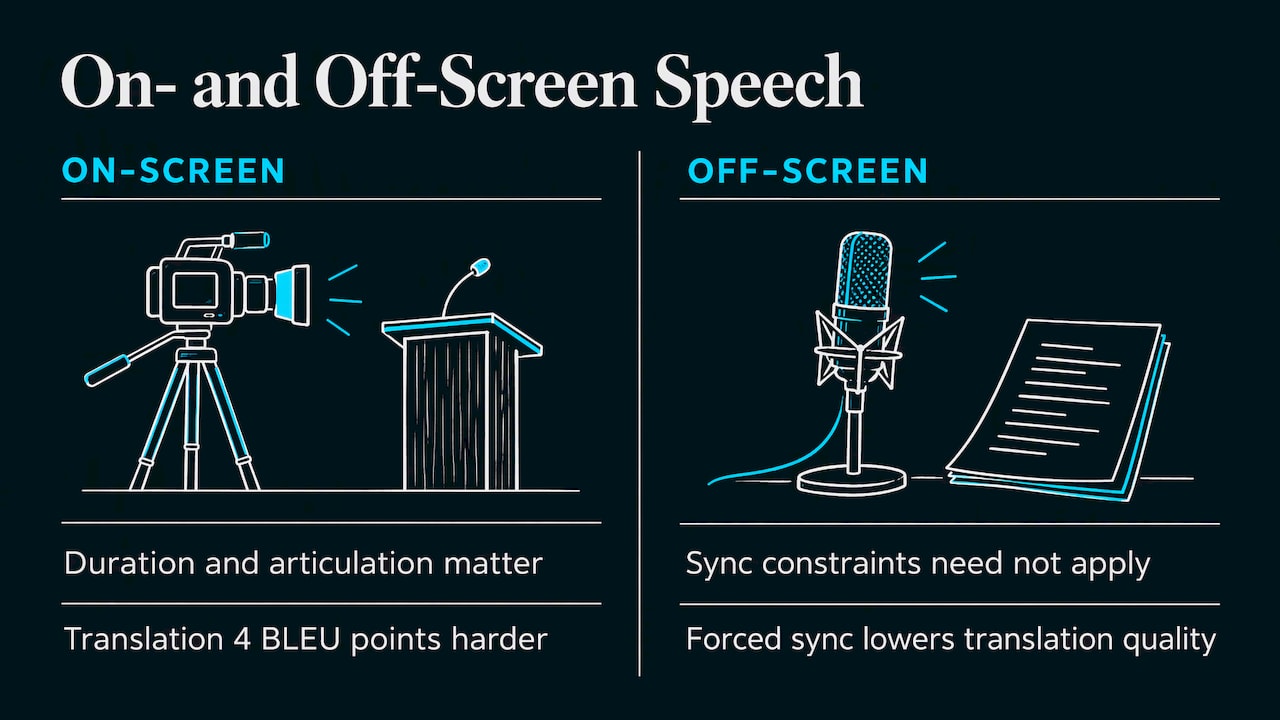
A 2020 paper, The Two Shades of Dubbing in Neural Machine Translation, separates speech where the speaker is visible from speech where they are not. On screen, duration and visible articulation matter. Off screen, those constraints need not apply in the same way. The paper reports that translation was harder for on-screen dubbing by four BLEU points (a standard machine translation score), and that forcing sync constraints onto off-screen speech substantially reduced translation quality.
The practical lesson: do not force tight timing on narration where nobody is on camera. Save the strictest fitting for the shots where the face is visible.
Translation quality
The same large-scale dubbing research says automated transcription and translation can produce awkward idioms or technical terms, and that human editing substantially improves the translated transcript in practice. If your video uses jargon, product names, course terminology or humor, a quick read of the translated script before final export is time well spent. The 2019 prosody study also found that participants preferred professionally translated samples even when those samples scored lower on lip sync, so a clear, natural translation beats a perfectly timed but clumsy one.
How to translate a video with lip sync, step by step
Here is the routine, with the points where results usually go wrong. DubEnvoy handles the translation, voice, lip-sync and subtitle steps in one studio, so the steps below describe what you prepare and what you review.
- Start with the best source file you have. Use the original export, not a re-compressed copy from social media. Clean audio with one speaker at a time and no loud music under the voice gives the transcription and the voice clone the most to work with. Where it goes wrong: background music and overlapping speakers blur the transcript and the voice.
- Choose the target language and check your faces. Decide who the audience is and which languages you need. DubEnvoy covers over 50 languages. Shots where the speaker faces the camera or is close to it are easiest for mouth matching. Where it goes wrong: extreme side views, hands over the mouth and tiny faces in wide shots give any lip-sync system less to work with.
- Run the dub with voice cloning and lip sync switched on. The speaker’s voice, tone and emotion carry over into the new language, and the mouth is adjusted to the new audio. DubEnvoy is designed to deliver this in minutes rather than the days a studio would need. Where it goes wrong: nothing to configure by hand, but a very short or noisy sample can weaken the voice match.
- Read the translated script. Fix product names, course terms, idioms and anything that sounds like a literal translation. Shorter, plainer sentences are easier to fit to the original timing. Where it goes wrong: skipping this step is the most common reason a dub sounds foreign even when the lips match.
- Watch the result with the sound on, then once with it off. With sound on you hear pacing and emotion. With it off you see whether the mouth looks believable. Where it goes wrong: judging only by ear hides visual drift, and judging only by eye hides flat delivery.
- Add subtitles where they help. Subtitles in the viewer’s language help in noisy places and for viewers who want text. DubEnvoy also generates subtitles, so the dubbed audio and the on-screen text come from the same translation.
Fixing lip sync in a dubbed video
When a dubbed video looks off, find which of these you are seeing before you change anything.
| What you see | Likely cause | What to do |
|---|---|---|
| Audio finishes before or after the mouth stops | Translated sentence is shorter or longer than the original | Edit the translation to a similar length, then re-run |
| Words rushed or oddly stretched | Large speech-rate change to force a fit | Shorten the sentence instead of compressing the audio |
| Pauses feel wrong | Original pauses were not kept | Break long sentences where the speaker paused |
| Mouth looks blurry or distorted on one shot | Side angle, obstructed face or tiny face | Use a shot with a clearer face, or apply the dub to a closer cut |
| Right voice, wrong feeling | Flat delivery of the translation | Rewrite the line in a more conversational way |
| Strange phrase or term | Literal translation of an idiom or jargon | Replace it in the script with the natural equivalent |
Notice that four of the six fixes are about the script, not the picture. That matches what the research shows: duration and synchronization are central. A 2024 study of direct audio-visual speech translation added duration and synchronization losses (training penalties for timing mismatch) and, across English to Spanish, Portuguese, Italian and French, reported an average LSE-D score of 10.67, a 9.2% reduction against its baseline. LSE-D measures the distance between mouth movement and audio, so lower is better. The point for you: timing is measurable and improvable, and it starts with how much speech you fit into each moment.
Keeping sync when you plan a new video
If you will dub a video from the start, a few habits make every later translation easier:
- Speak at a steady pace with clear pauses between ideas.
- Keep sentences short and avoid idioms that only work in one language.
- Face the camera when you make the key points.
- Record in a quiet room with no music under your voice.
- Say names and terms clearly, and keep a short glossary for each language.
These habits cost nothing at the time of filming and save the most editing afterward. For deeper background on getting clean results from audio, the DubEnvoy guide on AI audio dubbing and good results goes through the process, and the guide to dubbing YouTube videos covers channel workflows for creators.
Consent, disclosure and responsible use
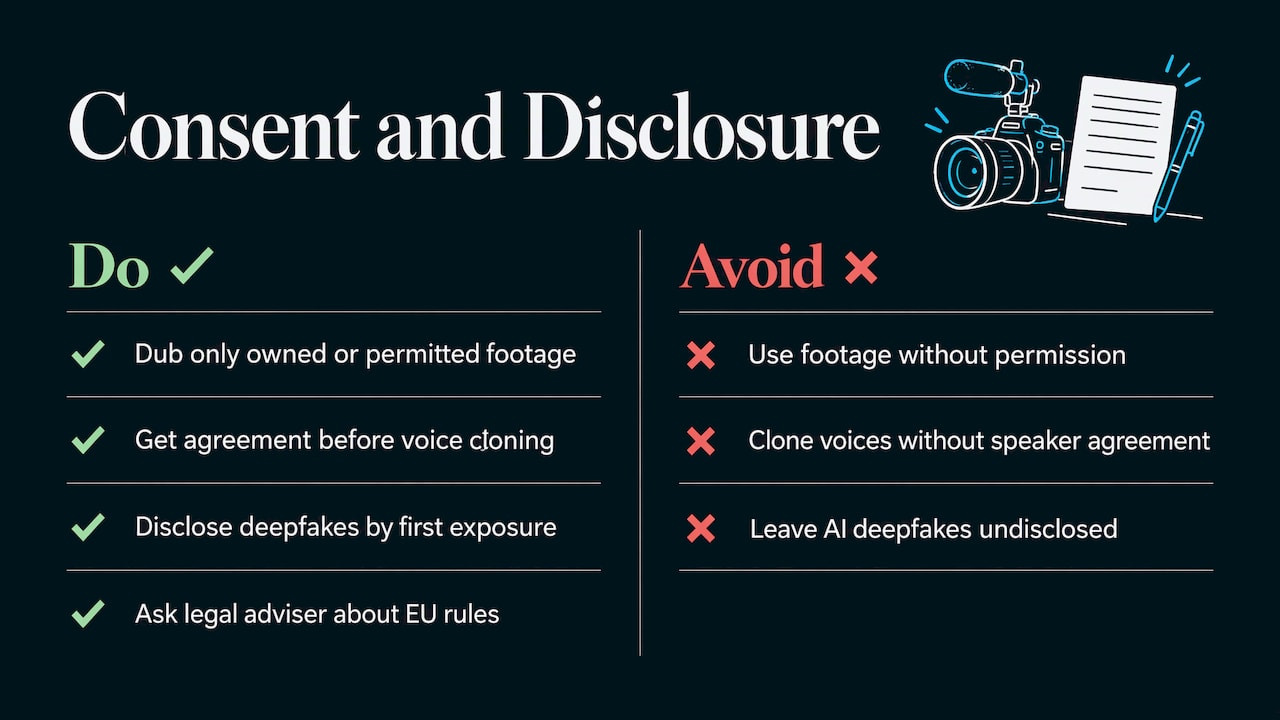
A voice and a face are personal. Google’s research team says the voice-transfer and lip-reanimation methods it describes were applied only with content-owner and speaker consent, and it flags the risk of misleading manipulated video. Dub only footage you own or have permission to localize, and get a speaker’s agreement before you clone their voice or adjust their mouth.
Disclosure rules are developing. In the European Union, the AI Act (Regulation (EU) 2024/1689) requires deployers to disclose AI-generated or manipulated video and audio that constitutes a deepfake. The notice must be clear and distinguishable no later than the viewer’s first exposure and must meet accessibility requirements. For evidently creative or artistic works, the disclosure is limited to an appropriate notice that does not hamper enjoyment of the work. If you publish to EU viewers, or work for a business that does, ask your legal adviser how the rule applies to your content. A short line in the description such as “Translated and dubbed with AI” is a simple habit for any audience.
On privacy, DubEnvoy’s workflow is designed with voice and media privacy safeguards.
What this looks like for your role
- Educators: a lecture recorded once can reach students who prefer to learn in their own language, with the instructor’s voice and face still recognizable. Dubbing also helps students who struggle with reading subtitles quickly.
- Creators: each dubbed version gives a channel a new audience without re-recording. Keep the same face, voice and personality across languages.
- Marketers: localized campaigns land better when the spokesperson looks and sounds as if they speak the viewer’s language. Review the translated script for brand terms and calls to action.
- Businesses: training, onboarding and product videos can go to every market from one source recording. For high volumes, APIs or dedicated processing, DubEnvoy offers an Enterprise & High Volume service.
Getting started with DubEnvoy
DubEnvoy is an AI dubbing and translation studio that translates and dubs video and audio into over 50 languages with voice cloning, lip-syncing and subtitle generation. It also offers mobile apps, developer APIs and enterprise integrations.
Plans are listed on the pricing page: the Weekly Dub Plan is 4.99 USD per week, the Monthly Dub Plan is 19.99 USD per month and the Monthly Dub Pro is 34.99 USD per month. Enterprise & High Volume has no published price. A weekly plan suits a single project, such as one course module or one campaign video, while a monthly plan fits a steady publishing schedule.
You can see the studio and start your first translated video with lip sync at dubenvoy.com.
FAQ
Is lip sync necessary when I translate a video?
It depends on the footage. If a speaker is clearly visible and talking to the camera, matching the mouth to the translated speech makes the video feel native. For slides, screen recordings or off-screen narration, good timing and a natural voice matter more, since there is no mouth to match.
Why does my dubbed video look out of sync?
Usually the translated sentence takes longer or shorter to say than the original. Shortening or rewording that line, keeping the speaker’s pauses and avoiding heavy speed changes usually fixes it. Difficult shots, such as side views or obstructed faces, can also reduce mouth quality.
Will the dubbed video still sound like me?
Voice cloning is designed to carry your voice, tone and emotion into the new language. DubEnvoy preserves the speaker’s original voice, tone and emotion when it dubs, so viewers hear the same person in each language.
Can I dub a video with more than one speaker?
Yes, and the cleanest results come from recordings where speakers take turns rather than talk over each other. Clear audio and visible faces help the system tell who is speaking.
Do I need to tell viewers a video was dubbed with AI?
In the EU, the AI Act requires disclosure of AI-generated or manipulated content that qualifies as a deepfake. Even where no rule applies to you, a short note in the description is good practice and builds trust.
Sources
- ATA: Video Translation and Subtitling, the Ins and Outs of Subs and Dubs
- Google Research: Improving Video Voice Dubbing Through Deep Learning
- Large-scale multilingual audio visual dubbing
- Face-Dubbing++: Lip-Synchronous, Voice Preserving Translation of Videos
- Prosodic Phrase Alignment for Machine Dubbing
- The Two Shades of Dubbing in Neural Machine Translation
- Improving Lip-synchrony in Direct Audio-Visual Speech-to-Speech Translation
- Regulation (EU) 2024/1689, the EU AI Act